hello@lideraccessories.com

Email us

+86 137 10 394959

Whatsapp

Mon - Sat: 9:30 - 21:30

6 Days a week

Case Studies

Welcome to our Case Studies section, where we move beyond product specifications to showcase the real-world impact of LIDER accessories. We believe the best way to demonstrate value is through proven results, and these case studies highlight exactly how our solutions solve specific challenges for businesses just like yours.

In this collection of success stories, you will find detailed examples of companies that have integrated LIDER products into their daily operations. Whether it is a logistics company improving workflow efficiency with our rugged tablet holders or a retail chain enhancing customer engagement with our mounting solutions, each study provides a deep dive into the problem, the solution, and the measurable outcome.

We focus on tangible metrics like return on investment (ROI), time saved, and durability under pressure. By exploring these real-world examples, you can gain insights into how our accessories might benefit your specific environment. Discover how LIDER accessories are not just purchases, but investments that drive success and streamline operations across various industries.

Phone Chargers Wholesale

When Should You Replace Your Phone Charger? 7 Warning Signs You Must Know

Your phone charger is one of those everyday gadgets you never think about – until it stops working. But waiting until it dies completely could be a costly mistake. A failing charger doesn’t just charge slowly; it can damage your phone’s battery, cause data loss, or even create a fire hazard.So, when should you replace your phone charger? In this guide, we’ll cover seven clear warning signs, safety concerns, and how to choose a reliable replacement. Why You Shouldn’t Ignore a Faulty Charger Most people keep using the same charger for years, long after its performance has dropped. But a damaged or aging charger can: Replacing a charger costs $10–30. Replacing a phone? Hundreds. The math is simple. 7 Signs It’s Time to Replace Your Phone Charger 1. Your Phone Charges Very Slowly (Even on Fast Charger) If your phone used to go from 0% to 50% in 30 minutes but now takes two hours on the same charger, something is wrong. Try a different charger first. If the problem disappears, your original charger is failing. Why this happens: Internal wires or capacitors degrade over time, reducing power output. 2. The Charger Gets Unusually Hot A slight warmth during fast charging is normal. But if your charger brick or cable becomes too hot to touch or smells like burning plastic, stop using it immediately. Overheating chargers are a serious fire risk. Replace them right away. 3. Physical Damage – Frayed Cables, Bent Pins, or Loose Connections Inspect your charger regularly: Any physical damage means it’s

More Details»
Super fast home chargers wholesale

Power Management IC: The Hidden Brain of Your Phone That Controls Charging, Heat, and Safety

Power Management IC – Ever wondered why your phone charges slower when it’s hot, or why the back feels warm when you’re watching a video while plugged in? And what about those rare but terrifying news stories of phones catching fire? The answers lie inside a tiny, unsung hero: the Power Management Integrated Circuit, or PMIC. About the size of a fingernail, your phone’s PMIC is the nerve center for all things energy-related. It’s not the battery itself; it’s the intelligent traffic controller that decides where every electron should go. Understanding this chip explains almost every strange charging behavior you experience daily. 1. Why Your Phone Doesn’t Charge Linearly (The 0-100% Mystery) You’ve noticed it: your phone zooms from 0% to 50% in 20 minutes, but the last 20% takes an hour. This isn’t a conspiracy—it’s your PMIC protecting your battery’s lifespan. Real-life scenario: You plug in at 5% before a meeting. The Power Management IC pushes a fast “top-up” charge for 10 minutes, giving you 40% battery. An hour later, it’s still slowly climbing to 100%. That’s not a bug; it’s smart chemistry in action. 2. The Heat Question: Why Does Charging Make Your Phone Feel Like a Hand Warmer? Heat during charging is normal—to a point. Your PMIC (Power Management IC ) and charging circuitry aren’t 100% efficient. When you convert 18-watt, 9-volt fast-charging energy down to the 4.2-volt energy your battery needs, waste heat is inevitable. But three factors dictate how hot your phone gets: When heat becomes a problem: Your phone

More Details»
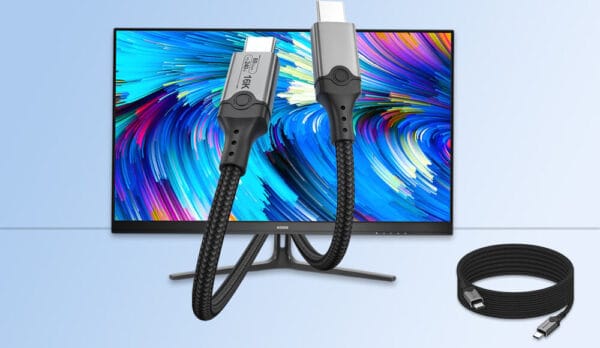
240W PD Charger Cable Wholesale

USB Charging Cable vs. USB Data Cable: What’s the Difference and Why It Matters

At first glance, USB charging cable and USB data cable look the same. They all have the familiar rectangular (USB-A) or oval (USB-C) connectors, and they all seem to fit into your phone, laptop, or power bank. However, not all USB cables are created equal. In fact, using the wrong cable for the wrong job can lead to painfully slow charging speeds, failed file transfers, or even security risks. The distinction between a USB charging cable and a USB data cable is one of the most misunderstood aspects of modern technology. While a charging cable is designed solely to deliver power, a data cable is built to handle both electricity and information. As a USB cable manufacturer in China, we will explain the technical differences, how to identify which cable you have, and why you need both types in your home. The Core Technical Difference: Wires Inside To understand the difference, you have to look inside the plastic casing of the cable. A standard USB 2.0 cable contains four copper wires inside the insulation: USB Charging Cable – the Charging-Only Cable A dedicated USB charging cable typically only contains the Power and Ground wires. The manufacturer omits the D+ and D- wires to save on production costs. Without these data wires, the cable is physically incapable of transferring files, photos, or music between a phone and a computer. USB Data Cable – the Data Cable A USB data cable (often called a “sync cable”) contains all four wires: Power, Ground, D+, and D-. This allows the cable to

More Details»
Custom USB C Cables Wholesale

The iPhone User’s 2026 Charging Guide: How to Choose the Perfect Fast Charger and Cable

To achieve the fastest charging speeds for your iPhone in 2026, you need a USB-C Power Delivery (PD) charger rated at 40W or higher and a high-quality USB-C to USB-C cable. The latest iPhone 17 models support 40W fast charging, allowing you to reach a 50% charge in around 20 minutes, significantly faster than older 20W chargers. The charging landscape has evolved rapidly, moving beyond the simple plug-and-play of the past. This guide cuts through the jargon of Gallium Nitride (GaN), PD 3.1, and Qi2 to provide you with a clear, actionable strategy for selecting a charging setup that is fast, safe, and future-proof for your iPhone and other devices. Understanding Your iPhone’s Charging Capability The first step is knowing what your specific iPhone model can handle. Apple has increased supported charging speeds over the years. Here’s a quick reference guide: iPhone Model Series Charging Port Max Wired Fast Charge Support Recommended Charger Minimum Required Cable Type iPhone 17 (All Models) USB-C 40W (PD 3.1) 40W USB-C PD Charger USB-C to USB-C iPhone 15 & 16 Series USB-C 20W+ (Supports faster charging) 20W USB-C PD Charger USB-C to USB-C (included) iPhone 14 & Earlier Lightning 20W+ 20W USB-C PD Charger USB-C to Lightning iPhone 8 to iPhone 13 Lightning 18W+ 18/20W USB-C PD Charger USB-C to Lightning Key Takeaway: For the fastest possible charge with any iPhone from the last 5 years, you must use a USB-C Power Delivery (PD) charger. The cable must match your phone’s port: USB-C to USB-C for iPhone 15 and later, or USB-C

More Details»
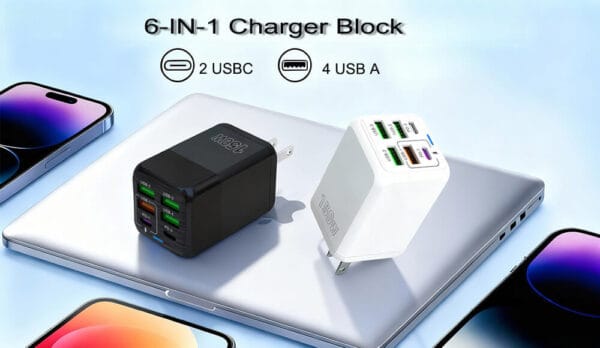
Multi-port USB Chargers Wholesale

Phone Charger Quality: Ways to Check and What to Avoid

In this article, you will read contents as below- Introduction: Why Phone Charger Quality Matters A reliable phone charger is crucial in today’s world. It’s not just about convenience; it also ensures your device lasts, stays safe, and performs well. Choosing the right one is key.Using a poor quality charger may damage your electronics, create a fire hazard, or provide inadequate charging speeds.With so many options such as Power Delivery (PD), Quick Charge (QC), and Gallium Nitride (GaN) technology coming out, it’s really important to know how to judge a charger’s quality. I often tell people to consider the specifications carefully before making a purchase. This approach helps ensure you get what you need. This guide shows you how to check if a charger is good, covering different points. We start by discussing safety and then move on to performance metrics. Our aim is to provide insight into aspects like voltage and current output. The information presented here should help you make an informed decision when evaluating chargers.Making informed decisions is key, whether you are buying for yourself or considering wholesale options for your business. Understanding the technical specifications will help you protect your devices and your investment. Step 1: Verify Safety Certifications and Compliance The most critical aspect of any charger is its safety, which begins with proper certifications. These certifications indicate that the charger has undergone rigorous testing by independent organizations. Essential Safety Certifications: What to Look For:Always check the charger body for certification marks. Genuine certifications will

More Details»
Recent Comments