
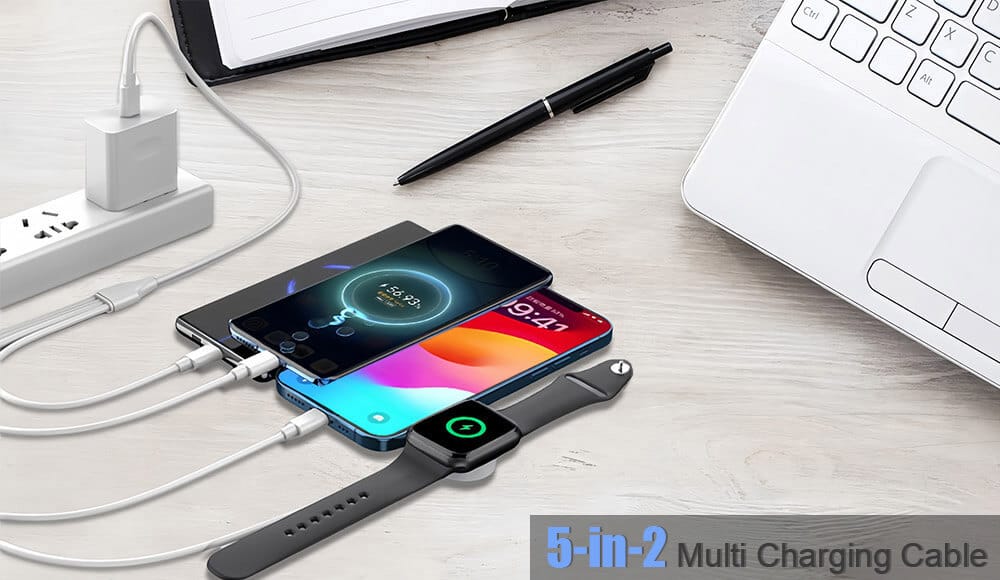
A reliable charging cable is just as crucial as a reliable internet connection. Whether you’re powering up your smartphone, tablet, or laptop, not all cables are created equal. High-speed charging cables are designed to deliver power efficiently and safely, reducing charging time and enhancing device longevity. This guide will help you understand what makes a great charging cable, the different types available, and how to choose the best one for your needs.
Understanding High-Speed Charging Cables
High-speed charging cables are engineered to support faster power delivery compared to standard cables. They achieve this by incorporating advanced materials, robust construction, and compatibility with fast-charging protocols like USB Power Delivery (PD) and Qualcomm Quick Charge. Unlike regular cables, high-speed USB charging cables minimize resistance and maximize current flow, ensuring your devices charge quickly and reliably.
Key Features of High-Speed Charging Cables
When shopping for a charging cable, consider these essential features:
Power Delivery and Wattage
High-speed charging cables support higher wattage (e.g., 18W, 30W, 65W, or even 100W), enabling faster charging for compatible devices.
Look for cables that support USB Power Delivery (PD) for universal compatibility or proprietary protocols like Quick Charge for Android devices.
Cable Gauge and Materials
Thicker wires (lower gauge numbers) reduce resistance, allowing more current to flow efficiently.
High-quality materials like copper or tinned copper conductors ensure optimal conductivity and durability.
Connector Quality
Reinforced connectors (especially at stress points) prevent fraying and breakage.
Gold-plated connectors resist corrosion and maintain a stable connection.
Cable Length and Flexibility
Choose a length that suits your needs (typically 3–6 feet). Longer cables may reduce charging speed slightly due to increased resistance.
Flexible, durable jackets (like nylon braiding) protect against wear and tear.
Safety Certifications
Always opt for cables certified by standards like USB-IF (USB Implementers Forum) or MFi (Made for iPhone) to ensure safety and compatibility.
Types of High-Speed Charging Cables
High-Speed USB-C Cables
USB-C cables are reversible and versatile, supporting both fast charging and high-speed data transfer.
Ideal for modern smartphones, tablets, and laptops (e.g., MacBook, Android devices).
Ensure your cable matches your device’s wattage requirements (e.g., a 60W cable for laptops).
Fast Charging iPhone Cables
For iPhones (8 and later), fast charging requires a USB-C to Lightning cable and a compatible USB-C power adapter (20W or higher).
MFi-certified cables guarantee compatibility and safe charging for Apple devices.
USB-A to USB-C Cables
Common for older chargers and devices. While convenient, they may not support the fastest charging speeds unless designed for protocols like Quick Charge.
Specialized Fast-Charging Cables
Designed for specific needs, such as automotive charging (thicker gauges for car outlets) or gaming devices (extra durability).

How to Choose the Right Cable for Your Needs
Assess Your Device’s Requirements
Check your device’s manual for supported charging standards (e.g., USB PD, Quick Charge).
Match the cable’s wattage and connector type (USB-C, Lightning, etc.) to your device.
Prioritize Quality Over Price
Cheap, uncertified cables can damage your device or pose safety risks. Invest in reputable brands as Trunker, Lider with verified certifications.
Read reviews to gauge real-world performance and durability.
Consider Your Environment
For on-the-go use, choose braided or reinforced cables.
In environments with moisture or dust, look for cables with added protection.
Future-Proof Your Setup
Opt for high-speed USB-C cables with broad compatibility, as they are becoming the universal standard.
Choose cables that support higher wattage than your current needs to accommodate future device upgrades.
Ensuring Safety and Performance
Look for Certifications
USB-IF certification ensures the cable meets industry standards for safety and performance.
MFi certification is a must for Apple accessories.
Avoid Common Pitfalls
Don’t use damaged or frayed cables, as they can overheat or short-circuit.
Steer clear of cables that feel unusually lightweight or flimsy—they often use inferior materials.
Maintain Your Cables
Unplug cables by gripping the connector, not the wire.
Store cables loosely coiled to prevent internal wire damage.

Troubleshooting Common Charging Issues
Slow Charging: Ensure you’re using a compatible fast-charging cable and power adapter. Check for debris in the charging port.
Intermittent Connection: Inspect the cable for damage and try a different power source.
Overheating: Discontinue use immediately if the cable or connector becomes hot—this may indicate a faulty cable.
Takeaway
Choosing the right high-speed charging cable involves understanding your device’s needs, prioritizing quality and safety certifications, and considering future compatibility. By investing in reliable high-speed USB charging cables, such as USB-C or fast-charging iPhone cables, you can enjoy quicker, safer, and more efficient power delivery for all your devices.
Need Premium Charging Solutions?
Upgrade your charging setup with high-performance, certified cables designed for speed and durability. Explore our selection of high-speed USB-C cables, fast-charging iPhone cables, and more to keep your devices powered up and ready to go. Contact us today for personalized recommendations!
Frequently Asked Questions
Q: What’s the difference between a high-speed data cable and a high-speed charging cable?
A: While some cables do both, charging cables prioritize power delivery with thicker conductors, whereas data cables focus on signal integrity. For the fastest charging, choose a cable designed specifically for high-wattage power transfer.
Q: Can any USB-C cable support fast charging?
A: No. The cable must be designed to handle higher wattage (e.g., 60W, 100W) and should ideally be USB-IF certified to ensure compatibility with fast-charging standards like USB PD.
Q: Why does my iPhone charge slowly with a fast-charging cable?
A: To enable fast charging on iPhones, you need both a good USB-C to Lightning cable and a compatible USB-C power adapter (20W or higher). Using an older USB-A adapter will limit speed.
Q: Are longer charging cables slower?
A: Yes, longer cables can have higher resistance, which may slightly reduce charging efficiency. For best results, use the shortest cable that meets your needs.
Q: How can I tell if a charging cable is safe to use?
A: Look for official certifications (USB-IF, MFi), buy from reputable brands, and avoid cables that overheat, fray, or feel poorly constructed.