
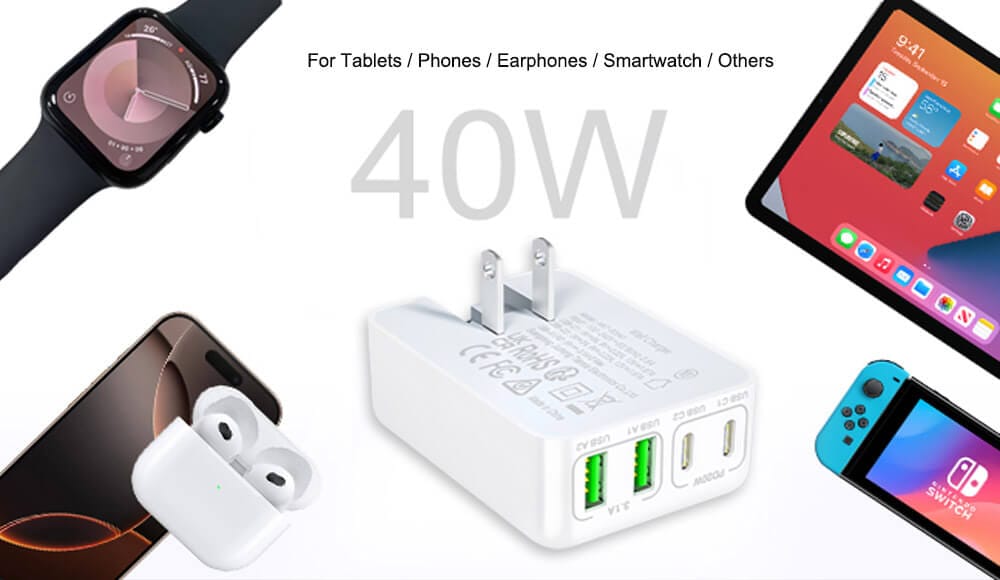
Empowering your daily tech life starts with core chargers knowledge, which is fundamental to a superior user experience for USB chargers. Moving beyond simply plugging in a cable, it means understanding terms like Power Delivery (PD), wattage, and amperage. This essential chargers FAQ provides the clarity needed to select the perfect charger, ensuring fast charging and promoting long-term device health. Ensuring compatibility with your specific phone, tablet, or laptop is crucial. Solid chargers knowledge is your best defense against the frustrations of slow charging and the risk of battery damage.
A positive user experience for USB chargers is built on practical, reliable factors. Users consistently value dependable performance, robust safety certifications, and durable build quality. Features like portability and the convenience of multi-port designs further enhance daily satisfaction. By applying the principles found in a comprehensive chargers FAQ, you guarantee that your devices charge efficiently and safely every time. This not only ensures the longevity of your gadgets but also unlocks their peak performance, protecting your valuable investments.
What is the charger output V for?
The V is short for voltage. The output for a charger is 5V 9V 12V 20V and more, which depends on the designs and protocols. In normal, the voltage is higher and the current would be more. This means that the charging speed is faster than the lower ones. For example, the charging speed for 30V 3A (60W) would be faster than 5V 1A(5W).
What is the phone charger output "A" mean? such as 20V 3A?
Very good question. The “A” stands for Amperes (often shortened to Amps). Normally it shows the Maximum current capacity. A higher Amp rating generally means a powerful charger capable of fast charging for phones or providing more powers to laptops if the same input voltage.
What is the charger Power (W, watts)?
Power (W, Watts) is the total amount of water delivered. It’s calculated as Voltage x Current (V x A = W). In the example 20V 3A, the charger can deliver maximum power output 20V × 3A = 60 Watts.
Key points to understand:
- It’s a Maximum Rating: The charger is capable of delivering up to 3A. Your device (phone, laptop) will only “draw” the amount of current it needs. A small device might only draw 1A or 2A.
- Higher Amps = More Potential Power (when combined with Voltage): A higher amp rating means the charger can deliver more electrical “flow” to meet a device’s demand, which is crucial for fast charging and powering larger devices like laptops.
- Amps Alone Don’t Tell the Full Story: You must consider both Volts and Amps together to know the power (Watts). A charger rated for 5V 3A (15W) delivers much less power than one rated for 20V 3A (60W).
- Modern USB-C PD Chargers are Smart: They don’t just output a fixed 20V 3A.
They negotiate with your device to provide the optimal voltage and current. This is the protocol like the computer connection.There is a smart IC inside the phone charger that talks to your devices. For example, the same charger may charge:
- a phone at 9V and 2A (18W) for fast charging.
- a laptop at 20V and 3A (60W) for maximum speed.
- a smartwatch at 5V and 0.5A (2.5W) for slow, safe charging.
So, let’s think of water in a hose with a auto tap:
- Voltage (V) is like the water pressure in the hose.
- Current (A) is like the flow rate or the amount of water flowing through the hose per second.
- Power (W, Watts) is the total amount of water delivered.
- Protocol is the auto tap, which negotiates with the charger and devices.
My testing machine shows that my phone charger goes from 5V 2A to 9V1.5A, and then to 5V 1.2A again. It stays stable at 5V 1.5A. What is the problem with it?
Maybe, nothing wrong with your charger. The smart charger may output more to charge but the devices like the phones or other refused. So the voltage goes back from 9V to 5V.
It is strange to check that my charger voltage goes from 5V to 9V , 9V to 12V and then drops from 12V to 9V. It has erratic, unstable jumps. So do the current. The charger is in good quality?
I am sorry to disappoint you. This is not a good charger if the voltage never stops. The unstable voltage will harm your phones, tablets or notebooks. If you charge your phones for 30 minutes or even less, it is even worse for the charger to get dangerously hot.
Do I need 30W, 65W, or 100W?
The total power output (W, or Watts). Normally:
- 20W-30W: Excellent for fast charging any smartphone and small tablets.
- 45W-65W: The sweet spot for most thin-and-light laptops (MacBook Air, Ultrabooks) and fast-charging phones/tablets.
- 100W+: Needed for powerful gaming laptops, mobile workstations, or charging multiple high-power devices simultaneously from a multi-port charger.
You can check mobile phone , tablet or laptop specification for charging. Or you can search “device name + Item number + charger ” to get the right answer. The charger you will use should be more than the Watts your devices need.
Will this charger fast charge my device? I want to buy a new charger for my phone.
It will if it meets two criteria:
a) It provides enough power (Watts) that your device can use, and
b) It supports the correct fast-charging protocol (PD, QC, etc.). For example, an iPhone 15 Pro can fast charge with any 20W+ USB-C PD charger. taneously from a multi-port USB charger.
Can I use my laptop charger to charge my phone, and vice versa?
- Laptop charger for phone: Yes, safely. A modern USB-C laptop charger (e.g., 65W) will negotiate the correct, lower power (e.g., 18W) for your phone. It’s perfectly safe and often very fast.
- Phone charger for laptop: Maybe, but slowly. We suggest you not to do. A low-wattage phone charger (e.g., 18W) may only slow-charge or simply maintain the battery of a power-hungry laptop. It often won’t provide enough power to charge while the laptop is in use. It may harm your laptop, phone or both if you often do that.
Why does my charger get hot? Is that normal?
Some warmth is normal due to energy conversion. Excessive heat (too hot to touch comfortably) is a concern. GaN chargers generally run cooler. Ensure good ventilation and avoid covering the charger.
If you touch the phone charger, it seems the charger will burn and it is too hot. Unplug the charger immediately.
My "hot" charger is a bad one?
It depends.
A bad charger will be very hot. This is caused by the low-quality components or design for the PCB.
But, if you use your 18W original iPhone charger to charge your Macbook Pro, the same thing will happen. This warmth is caused by the low output of the charger, which cannot meet the input of the Macbook Pro. The 18W original iPhone charger works at a full speed to meet the Macbook Pro input. The longer the phone charger works, the hotter it will be till the charger reaches its max temperature.
If a charger has multiple ports (2 USB-C, 1 USB-A), can I use them all at once?
Yes, but total power is shared. A 65W 3-port charger might offer 45W from one port when used alone, but drop to 20W+20W+15W when all three are used. Check the manufacturer’s “power sharing” specifications on the label or manual.

Is this charger good for international travel?
Check if it is available for : “100-240V, 50/60Hz” input. Almost all modern quality chargers have this, meaning they work anywhere in the world with just a simple plug adapter. GaN chargers are especially popular for travel due to their size.
Can I leave my charger plugged in all the time?
From a safety and energy standpoint, yes, but it wastes a tiny amount of “vampire” power. For longevity, occasional unplugging doesn’t hurt, but modern chargers are designed for this use. It’s more important to avoid physical damage (pinched cables, liquid exposure).
We suggest you not to leave your charger plugged. It will cause problems, like fire, burning or ruining or other, if it is in defective materials.
What's the difference between a "charger" and an "adapter"?
In everyday use, they are used interchangeably. Technically:
- Charger/Adapter/Power Adapter: The wall brick that converts AC wall power to DC power.
- The actual “charging circuit” that controls the battery is inside your phone/laptop. The wall brick is just a sophisticated power supply.
Will this charger damage my phone's battery?
A reputable, brand-name charger will not. Modern devices and compliant chargers have sophisticated ICs (integrated circuits) that negotiate voltage/current. Damage typically only comes from extremely cheap, uncertified chargers with poor voltage regulation or no safety protocols.
What is the bad charger in your eyes?
A bad charger would either:
- Have erratic, unstable jumps (e.g., wildly flickering between values without logic) which would indicate poor voltage regulation.
- Overheat or fail to safely step down when the battery is full.
Does the cable matter? What cable do I need for fast charging?
Absolutely, the cable is critical. For fast charging above 60W, you need a high-quality USB-C to USB-C cable that supports the necessary wattage and protocols. Look for cables rated for the power you need (e.g., “60W”, “100W” or “240W”) and, for data, “USB 3.x” or “Thunderbolt” if needed.
Do I need the original cable that came with my device?
Not necessarily, but you need a cable of equal or better capability. A cheap, thin cable will throttle your charging speed, even with a powerful charger.
This comprehensive chargers FAQ has armed you with the essential knowledge to navigate the world of device power with confidence. Understanding the crucial roles of voltage (V), current (A), and power (W) transforms you from a passive user into an informed consumer. You can now decode charger labels, select the perfect wattage for your phone, tablet, or laptop, and ensure safe, efficient charging every time.
Remember, the right chargers FAQ knowledge is your best defense against slow charging, battery damage, and safety hazards. By applying these principles—choosing compatible, quality chargers and understanding smart protocols like USB-PD—you protect your investments and optimize performance. Let this guide be your ongoing reference for a seamless, powerful user experience.